Страницы

Показаны сообщения с ярлыком work. Показать все сообщения

воскресенье, 9 августа 2015 г.

href=“tel:” and mobile numbers in tag html

   0 - trunk prefix
   2 - Area code for New South Wales
6555 - STD code for a specific telephone exchange
1234 - Telephone Exchange specific extension.
For a mobile phone this becomes
   0 -      trunk prefix
   4 -      Area code for a mobile telephone
1234 5678 - Mobile telephone number
Now, when I want to dial via the international trunk, you need to drop the trunk prefix and replace it with the international dialing prefix
   + -      Short hand for the country trunk number
  61 -      Country code for Australia
   4 -      Area code for a mobile telephone
1234 5678 - Mobile telephone number
This is why you often find that the first digit of a telephone number is dropped when dialling internationally, even when using international prefixing to dial within the same country.
So as per the trunk prefix for Germany drop the 0 and add the +49 for Germany's international calling code (for example) giving:
<a href="tel:+496170961709" class="Blondie">
    Call me, call me any, anytime
      <b>Call me (call me) oh my love</b>
        When you're ready we can share the wine!
</a> 

Create Skype call/chat HTML tag link

Add a Skype button to your websites and let people get in touch with just the click of a button. Whether they're on a computer or mobile, they will get through with a voice call or an instant message.

Skype link to Phone number:
Skype to call my number

<a href="callto://+***********">Skype to call my number</a>

Skype link to Skype Username:
Skype to call my Skype username

<a href="skype:********?call">Skype to call my Skype username</a>

Skype link to Skype:
Chat to my Skype

<a href="skype:********">Chat to my Skype</a>

четверг, 9 июля 2015 г.

Как установить кнопку от В Контакте “Мне нравится”


mne_nravitsya
Кнопка от В Контакте “Мне нравится” появилась уже на многих сайтах, блогах. Чтобы поставить “Мне нравится” от В Контакте, нужно конечно зарегистрироваться в данной социальной сети (хотя, наверное, тех, кого нет Вконтакте, осталось единицы). Из-за того, что в данной социальной сети очень много людей, кнопка от В Контакте может принести огромную пользу – привлечь дополнительных посетителей.

понедельник, 6 июля 2015 г.

Create a Free Home Wireless Hotspot With Login Page

What is an internet hotspot? Most people with even a small amount of technical knowledge will be able to answer that question in this day and age. An internet hotspot is simply a broadband/fibre connection that offers wireless internet access, and they are literally everywhere these days. Many shops/shopping centers, food and drink outlets, hotels and various other businesses/industries offer free or paid internet access via a hotspot. Even ISPs sometimes offer nationwide hotspots as an inclusive or optional part of your internet package.

Creating a hotspot on your computer is actually quite easy but with an ordinary hotspot your protection consists only of the WEP or WPA WiFi key, you have to tell everyone the key to give them access. If you want to refuse someone access, the wireless key needs to be changed and a new one resent to those other users who still are allowed to connect. Have you ever wondered how to create a login page on your hotspot like businesses and commercial services do? This way everyone will be able to connect to the hotspot but when they try to browse the web, they’ll be presented with a page that requires a username and password login before the wireless internet can be used.

13 Free Online Services and Software for Converting PDF to Word Compatible Format

The Portable Document Format (PDF) was introduced by Adobe in the 90’s and as the name implies, PDF is simply meant to be a type of self contained document that you can distribute easily. It doesn’t matter what operating system or software you have installed, as long as you have a reader to view it, the document will always look the same. Unlike a simple text file, a PDF document can contain many elements including text, images, hyperlinks, tables, fillable forms and etc.

Windows 8 has built in support for viewing PDFs and most web browsers can also view and save PDF documents. There’s plenty of free third party tools like Foxit Reader, Nitro Reader, SumatraPDF or even Adobe’s own reader. If you want to edit a PDF file, a popular way of doing so is converting the document into Microsoft Word format, that way just about anybody can then edit it without the need for specialized PDF editing software. If needed, you can later convert the Word document back to PDF.
Some products such as Microsoft Office itself, Google Docs and even Libreoffice can convert or allow you to edit a PDF but the results are often less than satisfactory. Here we list a number of free software or online PDF to Word format converters that can help you get a good result. Because results can vary wildly, we also run some tests to see which converters might be best for your particular documents.

Online PDF To Word Converters

Top 10 Sites to Receive SMS Online without a Phone


 It is very common nowadays that you will need to at least provide your email address in order to sign up for a service offered by a website or to participate in a discussion at a forum or even leaving a comment on a blog. If you don’t care about receiving a reply or are not comfortable in providing your real email address, there are many temporary disposable email addresses that can be automatically and instantly generated for use without any hassle. The only drawback is the temporary email address can be accessed by anyone if they know the username unless like Hide My Ass Anonymous Email that offers password protection feature for better security.


Receive SMS Online
Because of this, the email verification system is not secure at all. This is why some websites have implemented a phone verification system where the user needs to provide a phone number to receive a randomly generated code via SMS or voice call and feed the code back to the website to confirm that you are a real user and not a spam bot. The aim of phone verification is very similar toCAPTCHA for determining real users and preventing the same user from having multiple accounts except it is done through a phone number. If for some reason you need to receive text messages online from your computer rather than your phone, here are top 10 sites to help you receive SMS online and show the code to you.

10. Twilio

воскресенье, 5 июля 2015 г.

Setup/Installation: vKontakte – Social Networks Auto-Poster for WordPress

Installation:

1. Plugin

Networks:

1. Facebook
2. Twitter
3. Google+
4. Pinterest
5. Tumblr
6. LinkedIn
7. Blogger
8. Delicious
9. Wordpress Based
10. Diigo
11. Plurk
vKontakte uses OAuth for authentication and authorization. You need to setup vKontakte Application, connect this application to your blog and authorize it.
Important Note: VK API for uploading images is NOT compatible with “Always use secure connection” setting. If you chooose to make “image” posts to VK please make sure this option is ‘OFF’.

vKontakte Configuration

1. Create an app for your website.

1. Login to your vKontakte account.
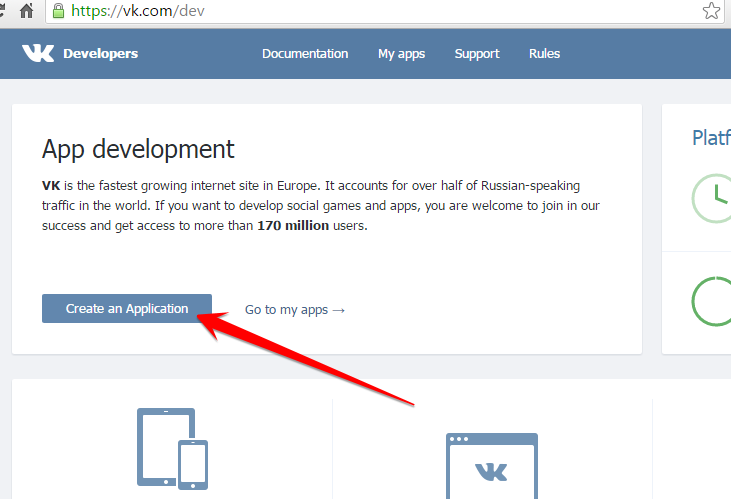
2. Go to the Developers page http://vk.com/developers.php. Click “Create New Application” button in the right top corner.
Create New Application

Setup/Installation: Facebook – Social Networks Auto-Poster

The Facebook Platform uses OAuth 2.0 for authentication and authorization. You need to setup Facebook Application and connect this application to your blog and authorize it.
Please see the instructions below:

Facebook Configuration

1. Create an app and community page for your website.

1. Login to your Facebook account.
2. Go to the Developers page: https://developers.facebook.com/
If you are not registered as “Developer” yet, you need to click green button “Register as a Developer”. Click here to see the Register as a Developer instructions, otherwise proceed to the step #3.
FAQ: Question: Why I can’t create an app on developers.facebook.com/apps ? When I am trying to enter that page it redirects me back to my account?
Answer: Facebook “Business” or “Advertising” accounts can’t manage apps. Only real user accounts are able to create and manage apps. Please login to Facebook as a personal account to be able to create app.

Twitter: Setup/Installation Social Networks Auto-Poster for WordPress

Twitter uses OAuth to provide authorized access to its API. You need to create Twitter application with “Read and Write” access level and get “API key”, “API secret”, “Access token”, and “Access token secret”.
There is no need to separately “authorize” your blog, just enter all applicable info.

Twitter Configuration

1. Create a Twitter App for your website.

1. Login to your Twitter account.
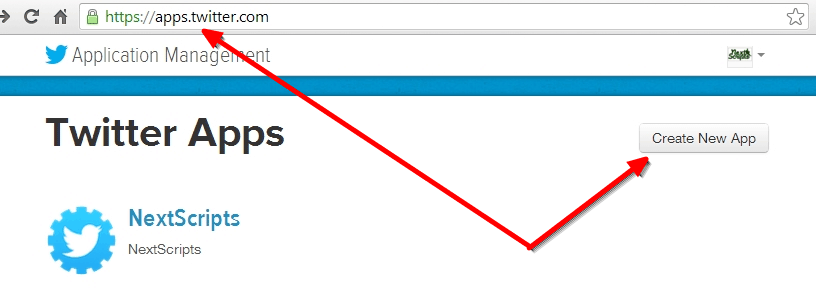
2. Go to the Developers website: https://apps.twitter.com/ Sign in again if asked. Click “Create a new app” button on the right.
New App
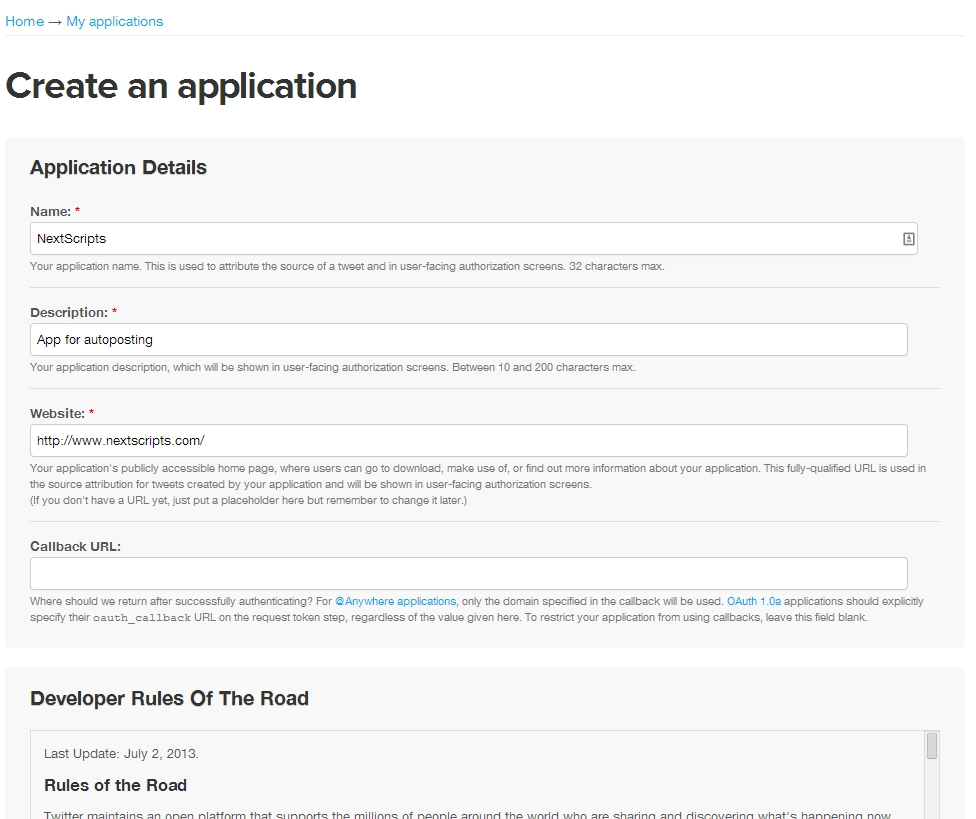
3. Fill details, click “Create your Twitter application”.
Please use your own information for the next step, don’t literally re-type “NextScripts Blog”, “NextScripts.com” and other sample info.
New App Page

суббота, 4 июля 2015 г.

Формат ссылки для телефонных звонков в мобильных браузераx (href=”tel:, calto: …”)

На сегодняшний день большинство мобильных устройств с браузером также являются телефонами! Так почему бы не создавать для телефонных номеров на вашей странице ссылки, кликая по которым вызывалось бы встроенное приложене для звонков. Если вы создаете сайт бизнес руководства, консалтингового агенства или просто продаете пирожки на своем сайте, большинство людей предпочтут позвонить вам в 1-2 тача вместо нудного заполнения формы (особенно на мобильном девайсе).